Official files and the malware warning
WinDirStat is a disk usage statistics viewer and cleanup tool for Microsoft Windows. Safety starts at the download, not after a scan. The README section Official Downloads and Malware Warning exists because the project name is copied. Unofficial sites may offer outdated or modified files and may expose people to malware. The team reports impersonation when it can. Takedowns are not always successful.
Install only through the Microsoft Store link and package managers the README lists, official GitHub Releases, or links from windirstat.net. Product homepage field on GitHub is windirstat.net. Files still come from GitHub Releases or those package managers. Related: download safely, GitHub repo, releases, and guides.
The command of record on Windows 10 1809 or later, and on Windows 11, is:
winget install -e --id WinDirStat.WinDirStatGitHub Releases as the file host
Repo of record is windirstat/windirstat. WinDirStat/WinDirStat redirects to the same repo. On the current release, take WinDirStat-x64.msi unless the PC is ARM64 or 32-bit. README: if you prefer a manual installer, download the 64-bit MSI installer. ARM64: WinDirStat-arm64.msi. x86: WinDirStat-x86.msi. Portable: WinDirStat.zip or WinDirStat.7z. Extract, then run the executable for the CPU. Chooser: portable or MSI.
Skip WinDirStat-Hashes.txt as something to launch. Skip debug symbols. Skip GitHub automatic source archives as daily installers. MSIX and the msixbundle are supporting Store-style packages on the same tag. Latest/download URLs omit the tag. Public copy still says the current release. Do not pin a number.
License is GPL-2.0 in LICENSE.md. README: application GPL v2, not later. Logo and derivatives: CC BY 3.0. Publisher on winget locale yaml: The WinDirStat Team. Native C++. No .NET runtime named in the README. No WebView2 named in the README.
Match the winget package id
Search results can show similarly named packages. Stop unless the id is WinDirStat.WinDirStat. Locale yaml lists License GPL-2.0, Publisher The WinDirStat Team, LicenseUrl pointing at LICENSE.md, PackageUrl as GitHub Releases, and moniker windirstat. Installer yaml lists InstallerType wix, Scope machine, and InstallerUrl pointing at GitHub Releases MSI files for x86, x64, and arm64.
DefaultInstallLocation is %ProgramFiles%\WinDirStat for x64 and arm64, and %ProgramFiles(x86)%\WinDirStat for x86. If winget offers a lookalike id, cancel. Id matching is the same idea as the malware warning: match the published identifier, then install. Winget detail: winget command. App Installer walk: how to install winget. Windows walk: install on Windows.
Microsoft Store id 9ph1gl95p3wf, Chocolatey choco install windirstat, and Scoop scoop install extras/windirstat are supporting README paths. They are not the typed command these notes paste. Use them when you already live in that catalog. Do not paste a random Store search as proof of the GitHub MSI.
The hashes file on the tag
Each GitHub tag publishes WinDirStat-Hashes.txt. That file is checksums for the assets next to it. Open it. Confirm the MSI, zip, or 7z name you took. Compare the digest your machine computed against the line for that file. If they disagree, do not run the download. Fetch again from Releases, or switch to the winget id.
WinDirStat-Hashes.txtThe hashes file is not a second installer. It is not a portable app. It is not a catalog package. People who double-click it get a text file. That is the point. Debug symbol archives sit on the same tag for developers. Daily users leave them. Source zip and tarball are GitHub automatic archives, not the WiX MSI.
If you used winget, the catalog already pointed at GitHub MSI URLs. You can still open Releases and read WinDirStat-Hashes.txt for the same current release. Say the current release. Do not copy a digest from a blog.
Unofficial sites that copy the name
The README is blunt: popularity led to unofficial websites that copy the project’s name, branding, or downloads. Those sites are not operated by the WinDirStat team. They may offer outdated or modified files. They may expose users to malware. A search-ad installer that wraps the name is not GitHub Releases.
Stay on the Store listing, the package managers listed in Installation, official GitHub Releases, or links that originate on windirstat.net. If a page asks you to run a renamed setup, close it. If a page offers a helper that is not WinDirStat-x64.msi, WinDirStat-arm64.msi, WinDirStat-x86.msi, WinDirStat.zip, WinDirStat.7z, or the MSIX names on the tag, stop.
Wrapper downloads are a migrate job of their own: leave the unofficial file, install from winget or GitHub, then scan locally. Home: disk space analyzer. This computer: disk space analyzer for this computer.
Local scan, license, and account
After a trusted binary is in place, the app scans local drives, selected drives, individual folders, and command-line targets. There is no account. There is no paid tier in the README. Data named in the README includes CSV scan import/export and duplicate CSV export. Settings can be portable. No cloud account is named.
Telemetry is not claimed in the README. Do not invent a tracker. The repo does not ship a SECURITY.md file. Build from source is Visual Studio 2022 or later, solution windirstat\WinDirStat.sln. That path is for people who compile. Daily users stay on winget or the MSI.
README Compatibility, developed for and tested on: Windows 7 through Windows 11, plus Windows Server 2008 R2 through 2025. They may work on older or newer systems and are not supported. Winget still needs App Installer on Windows 10 1809 or later, or Windows 11. On Windows 7 or 8, take the MSI from GitHub.
| Check | What to match |
|---|---|
| GitHub repo | windirstat/windirstat |
| Default file | WinDirStat-x64.msi |
| Winget id | WinDirStat.WinDirStat |
| Publisher | The WinDirStat Team |
| Hashes file | WinDirStat-Hashes.txt on the same tag |
| License | GPL-2.0, application GPL v2 not later |
| Store listing | 9ph1gl95p3wf (supporting) |
| Account | None |
| Runtime | Native C++. No .NET named in the README |
How to confirm before you run it
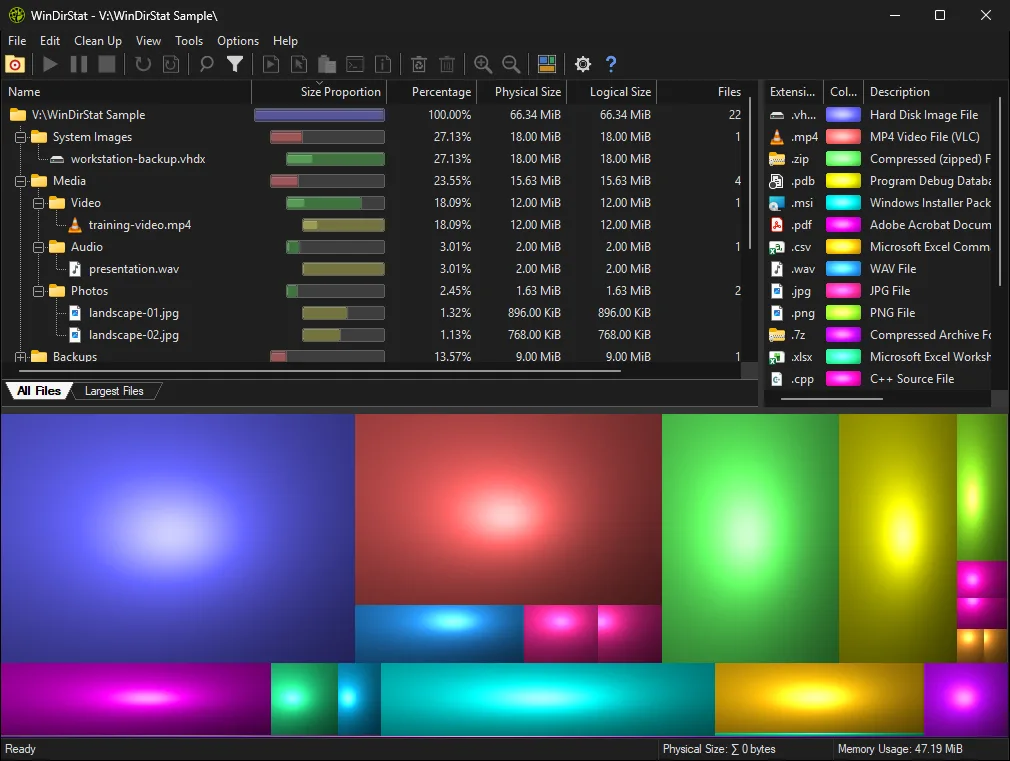
Open GitHub Releases or run the winget command. Confirm the asset name. Open WinDirStat-Hashes.txt. Install. Launch from the Start menu for an MSI, or from the extracted folder for zip/7z. Scan a throwaway folder first. Then read the layout: read the treemap. Find hogs: find large files. Duplicates: duplicate files by hash. Cleanup: cleanup from a scan.
Do not delete C:\Windows because a box looks big. A trusted binary still needs a careful cleanup hand. Explorer Properties is a different walk: switch from folder Properties. Move off Explorer: move off Explorer. Storage number: check storage on a PC.
Other scanners exist. WizTree: vs WizTree. TreeSize: vs TreeSize. SpaceSniffer: vs SpaceSniffer. Pick by job. For fetch safety, the job is GitHub, winget, hashes, and the README warning. About: about. Disk analyzer: disk analyzer. README: project README. License: LICENSE.md.
Frequently asked questions
Is this disk space analyzer safe to install from GitHub?
Yes, when the file comes from GitHub Releases on windirstat/windirstat. Take WinDirStat-x64.msi for most PCs. Related: download safely.
What is the hashes file for this disk space analyzer?
WinDirStat-Hashes.txt on the same GitHub tag is checksums for the published assets. It is not an installer. Do not run it. Compare it to the MSI, zip, or 7z you actually downloaded.
Is the winget package official?
Match id WinDirStat.WinDirStat and publisher The WinDirStat Team. The README command is winget install -e --id WinDirStat.WinDirStat. Guide: winget command.
Why does the README warn about unofficial sites?
The Official Downloads and Malware Warning section says unofficial sites copy the project name, branding, or downloads. They may offer outdated or modified files. Install only through the Store link, listed package managers, official GitHub Releases, or links from windirstat.net.
Does this disk space analyzer need an account or send telemetry?
No account. Scans stay on the PC. The README does not claim telemetry. Do not invent a tracker. License is GPL-2.0. Related: GitHub repo.