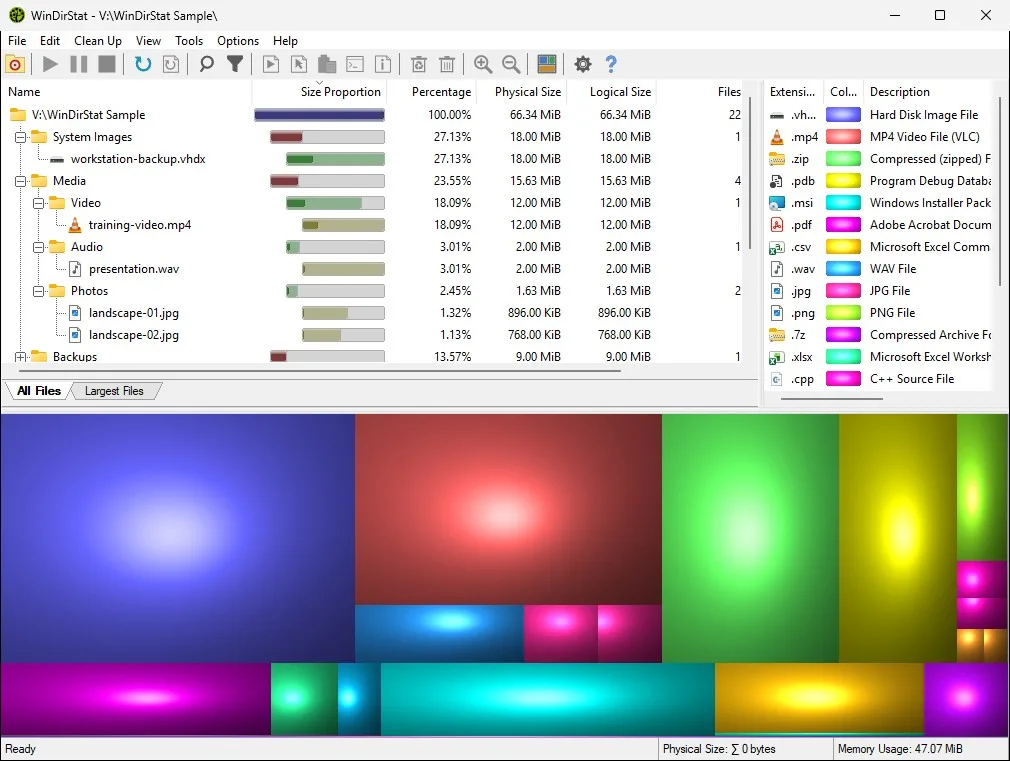
Explorer Properties is fine for a one-folder number but the wrong loop for a full drive, a repeating walk, or types, and Windows Storage settings group apps and temp while they still hide Other. WinDirStat records a directory tree, an extension list, and a treemap on Windows, then lets you act locally. Compare inbox tools: check storage on a PC. Switch notes: switch from folder Properties. Home: home.
What you are leaving
People collect Properties windows the way they collect unsigned helpers: a size on one folder, a second size on a parent, Storage settings Other, and an unofficial exe on the Desktop that copied the project name, so two workflows then fight. Properties has no project file this app imports, so remember the folder path if it still matters, and phone storage screens are a different OS. Extra unsigned helpers belong in the recycle bin after the official install works.
One official Windows install
Pick winget or GitHub Releases and stay on that door so two copies do not fight.
winget install -e --id WinDirStat.WinDirStatOr take WinDirStat-x64.msi from GitHub Releases. Safe fetch: download-safe. This computer: this computer. Windows notes: Windows install. Official site: windirstat.net.
- Install with the winget id or the current x64 MSI.
- Launch from Start.
- Pick the same folder or drive you used to open Properties.
- Wait until the treemap finishes.
- Read types and rectangles. Delete only files you recognize.
Scan again, do not invent an importer
Open the same folder, scan, and read; Properties totals are not a WinDirStat project, so keep a note of the path, and that is the whole migration. Large files: find large files. Treemap: read the treemap. Disk analyzer job: disk analyzer.
| You have | Do this |
|---|---|
| Folder Properties still spinning | Scan that folder in WinDirStat and keep Properties for a one-off number. |
| Storage settings Other | Scan the drive so types and rectangles explain Other. |
| A size you wrote down | Scan the same path, knowing logical versus physical size may differ. |
| An unsigned helper on Desktop | Quit it and install from winget or GitHub once. |
| Portable zip plus winget | Pick one for the job. |
After the first local scan
Compare the folder you already knew, and if the rectangle matches the file you expected the move worked, then scan a larger tree and chat with cleanup only after you recognize the path. Cleanup: cleanup from a scan. Duplicates: duplicate files by hash.
Keep using Properties for a single folder number if that is faster and stop using the extra unsigned helper. Repo: GitHub. Issues: WinDirStat issues. Guides: guides.
WizTree and TreeSize are a different move
WizTree is Antibody Software freeware, TreeSize is Jam Software, and SpaceSniffer is Uderzo freeware, and those compares are separate guides. Do not treat Properties, WizTree, and TreeSize as one pile. Versus WizTree: vs WizTree. Versus TreeSize: vs TreeSize. Versus SpaceSniffer: vs SpaceSniffer.
Architecture still applies
Match x64, ARM64, or x86 to the PC. The current GitHub tag lists all three MSI names. Winget needs App Installer on Windows 10 version 1809 or later, or on Windows 11. If the command is missing, add App Installer from Microsoft, reopen the terminal, and run the id again. Howto: how to install winget. Releases: which file. Portable versus MSI: portable or MSI.
README Compatibility lists Windows 7 through 11 and Server 2008 R2 through 2025 for this native C++ app with no extra runtime named, and elevated scan is optional when a folder is locked, so start unelevated on your profile.
Frequently asked questions
Can I import Properties totals?
No documented importer. Scan the same folder. Remember the path if you still need that number.
Should I keep a Desktop helper beside winget?
No. One official channel. Wrappers are how two copies appear. README malware warning covers unofficial name copies.
What about Windows Storage settings?
Keep them for app uninstalls and temp. Scan the drive when Other is the mystery. Details: check storage on a PC.
Where are product bugs filed?
WinDirStat issues. Contact notes: contact.
Is folder Properties still useful?
Yes, for a single folder number. Use WinDirStat when you want types, rectangles, and a scan you can refresh, export, or clean from.